TaskAtlas
Know who has the work — across every department
Intake forms hand off to HR, IT, and Ops automatically. Everyone sees the journey, the blocker, and who’s waiting — without chasing email threads.
Visibility
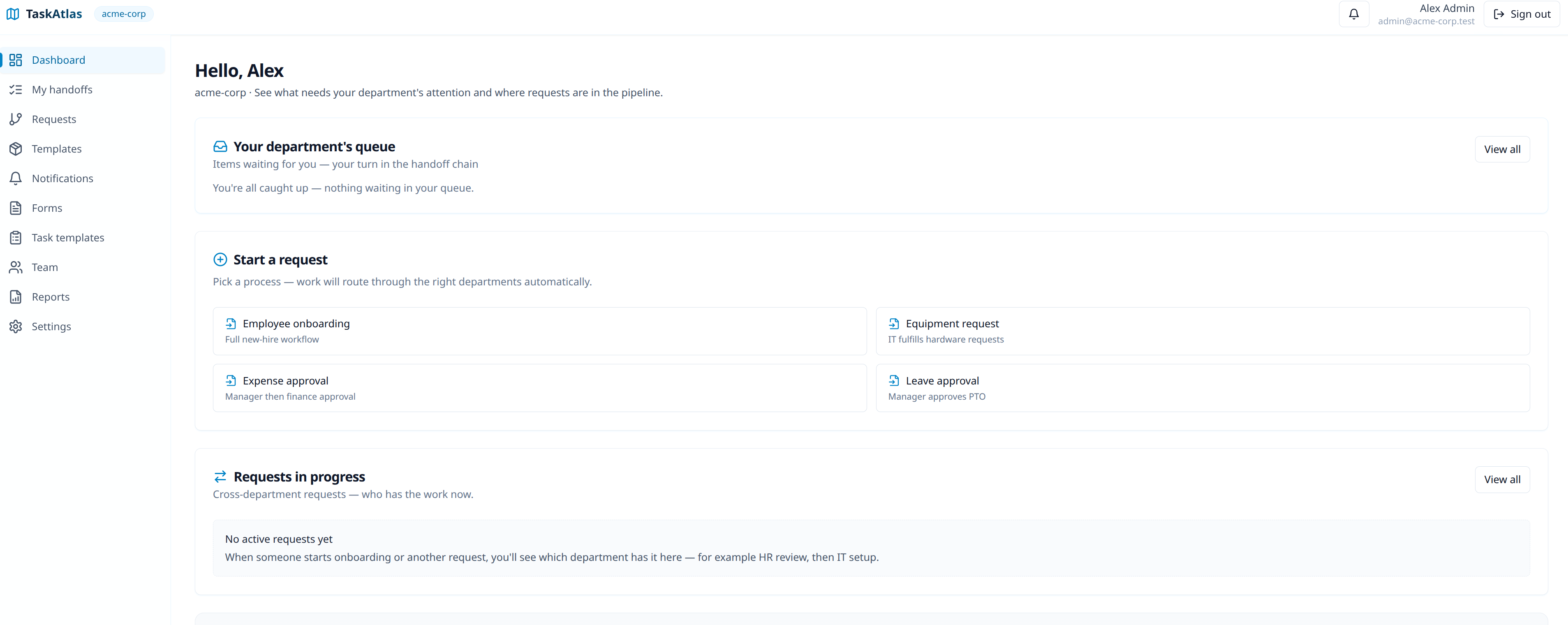
Start a request. Watch it move.
Your queue shows what’s waiting on you. Active requests show which department has the baton now — not buried in someone’s inbox.
- Onboarding as the flagship path — hire → HR → IT → Ops → manager
- Same dashboard for equipment, expenses, leave, and the processes you add next
- “You’re all caught up” when there’s nothing in your handoff chain
Assignees
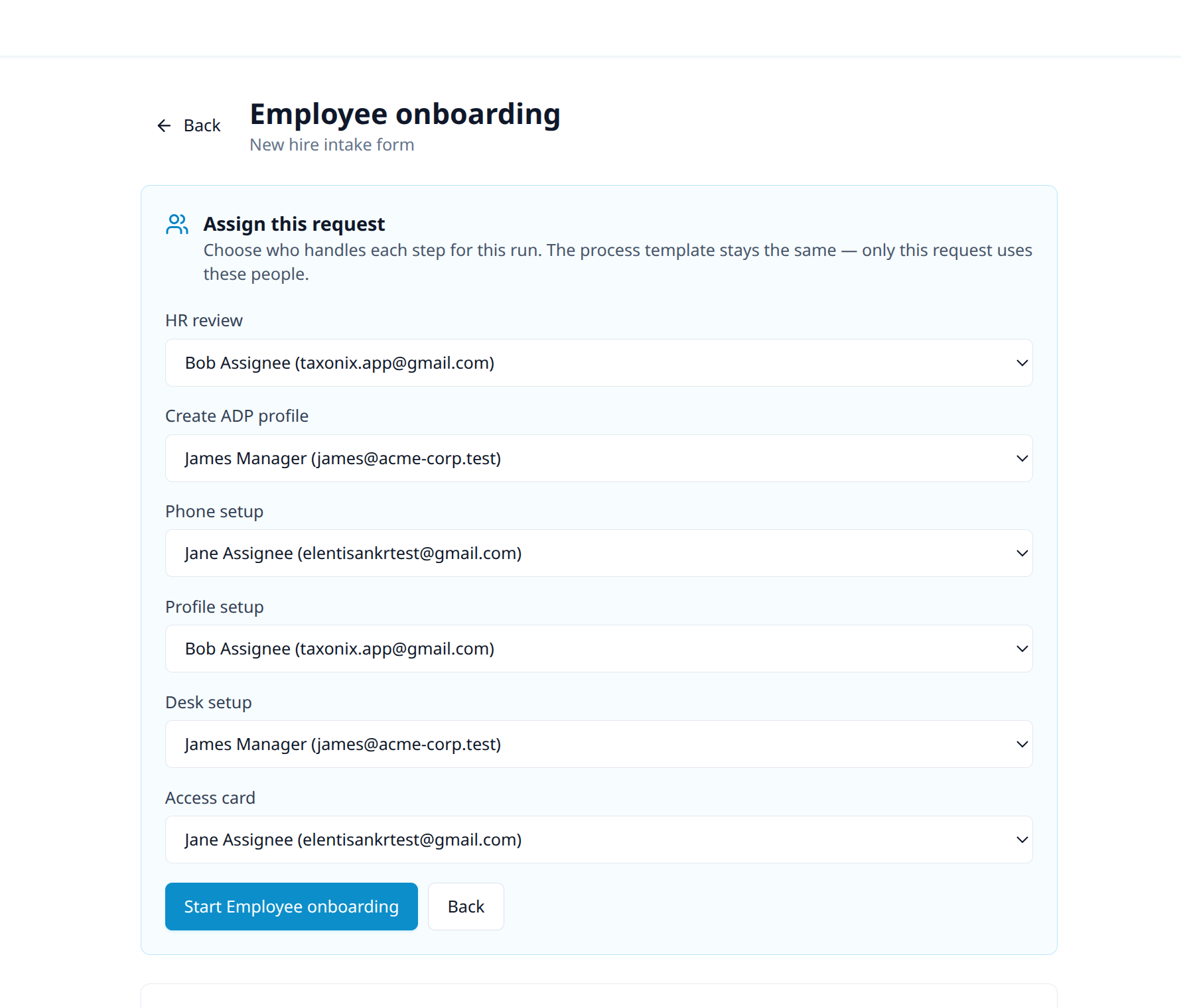
One process. Different people each time.
Keep the template stable — pick who handles HR, IT, and Ops for this hire. No rewriting the workflow when the roster changes.
Design
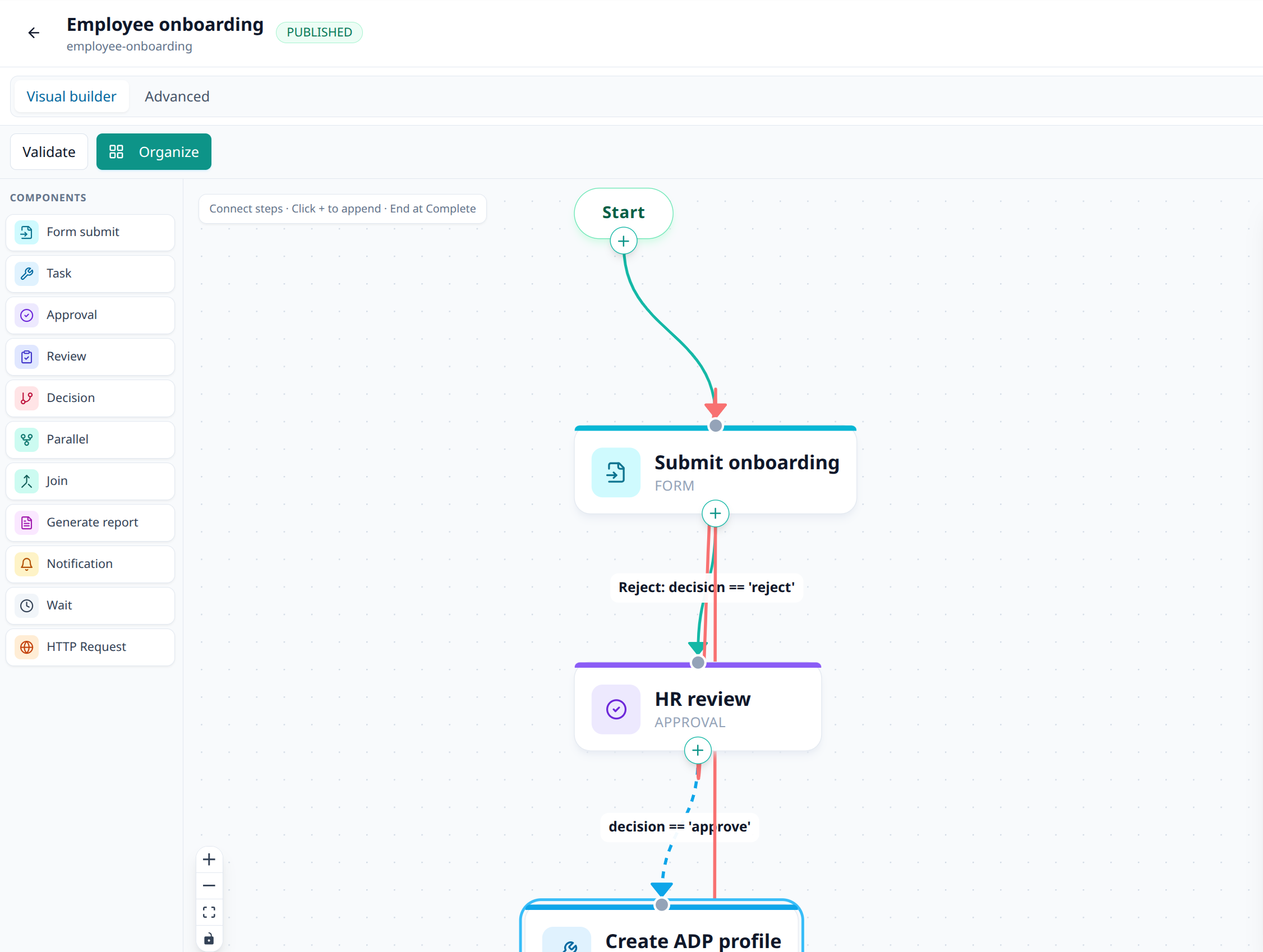
Build the path once. Run it every time.
Visual workflows with forms, approvals, tasks, decisions, and handoffs — including reject-and-rework. Onboarding is the example; the builder is open to the processes your org already runs in email.
Contact
Walk through your handoff mess with us
We’ll start with the process that hurts most — often onboarding — and show how TaskAtlas keeps every stage owned and visible.
Email hello@taskatlas.net